Conveyor Belts
Overview
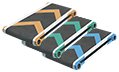
Conveyor Belts are the primary means of transporting items in Dyson Sphere Program and are the preferred option for short- and mid-distance logistics. They connect production chains, move materials between buildings, and can also be used to carry items across terrain or over other structures when needed. The three standard tiers are Conveyor Belt Mk.I, Mk.II, and Mk.III, with transport speeds of 6, 12, and 30 items per second respectively, or 360, 720, and 1,800 items per minute.
A full belt holds one item per tile and one item between tiles, so belt occupancy matters when planning throughput. Because the game treats belts as a logistics layer rather than just a pipe, higher-tier belts are often the simplest way to remove bottlenecks in otherwise efficient production lines. Each inventory slot stacks to 300.
Belts can be placed with elevation changes and turns. After choosing a start point, the belt can be directed to turn by 90 degrees toward the destination. The editor requires two tiles at each end to level off before a turn can be made, but on the downhill side where the belt levels out, a segment can be removed and the turn placed one tile earlier. While placing, the current altitude can be adjusted with the arrow keys, and the altitude can be reset to ground level with the zero key when the relevant modifier is enabled. Holding the build modifier while placing disables snapping, which makes it easier to route belts over buildings and other belts.
The baseline placement limit for belts is 12 levels above ground, allowing up to 13 belts stacked vertically one on top of another. This limit can be raised through Vertical Construction research, with each level increasing the limit by 6, up to a maximum of 48.
Belts can be merged, but only in the direction that combines their cargo flow. When a belt joins into a straight belt, the straight belt takes priority; this is the standard T-junction behavior. Belts also support direct item interaction: hovering over a belt segment until a white box appears opens an interaction window where items can be placed onto or taken from that segment. The same window also provides a one-click option to flip the entire belt path.
For large-scale logistics work, belts support bulk editing. Holding the appropriate modifier while clicking a belt upgrades the whole belt within build range, and the same applies to mass deletion.
References to this (20)
- buildingAutomatic Piler
- buildingDepot Mk.I
- buildingDepot Mk.II
- buildingSorter Mk.I
- buildingSorter Mk.II
- buildingSorter Mk.III
- buildingSorters
- buildingStorage Mk.II
- itemAutomatic Piler
- itemDepot Mk.I
- itemDepot Mk.II
- itemDeuterium
- itemElectromagnetic Matrix
- itemSorter Mk.I
- itemSorter Mk.II
- itemSorter Mk.III
- itemSorters
- itemStorage Mk.II
- technologyElectromagnetic Matrix
- tutorial-missionFirst Automation